
The quote
that sells itself.
Send a professional quote your client can read, sign, and pay — all from one link, on any device.
No credit card required
Quotes that are a pleasure to receive.
Send quotes as a link. Clients approve, sign, and pay online.
-
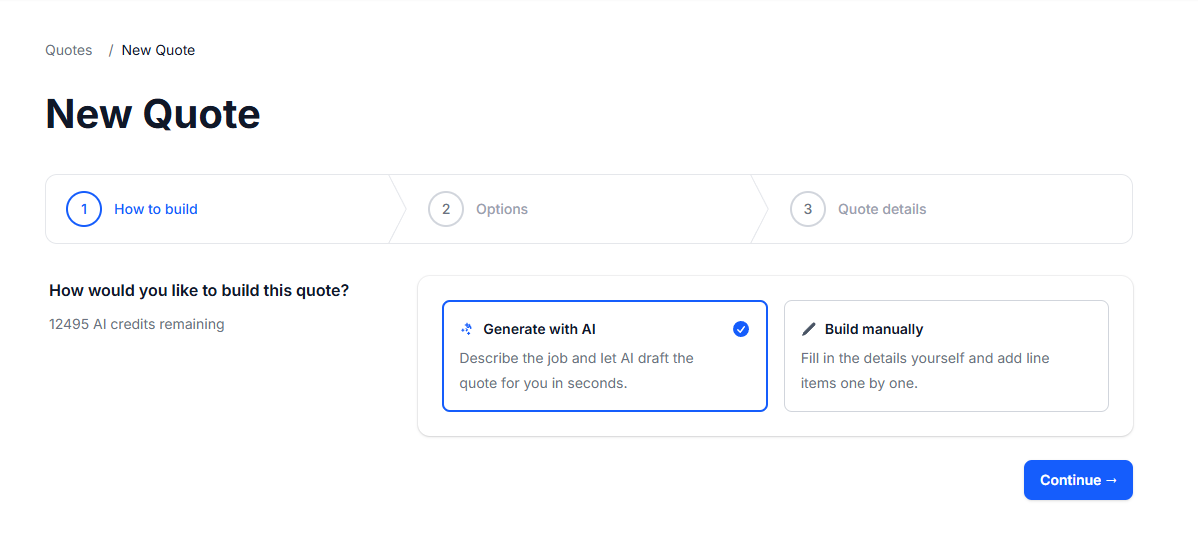
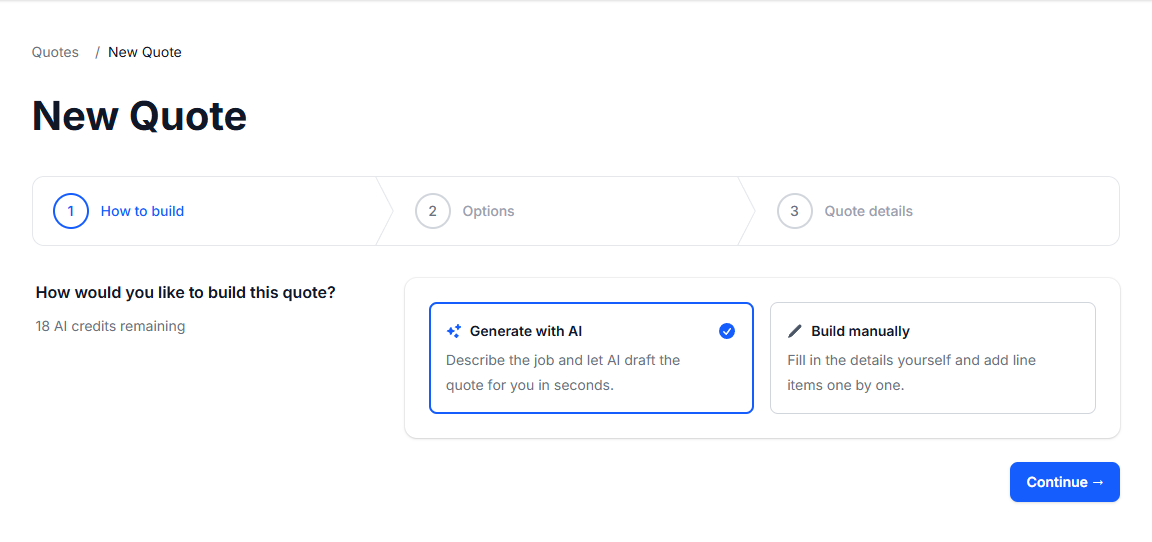
AI Quote Builder
- Choose AI or manual. Describe the job in plain language and get a complete structured quote in seconds.
-
Describe the Work
- Type a detailed brief, select a client, set the expiration — then hit Generate. The AI handles the rest.
-
Instant Quote Draft
- The AI returns a professional quote with a title, scope of work, and every line item priced and ready to review.
-
Itemized Totals
- Every line item is broken out with tax applied per item. Subtotals, tax breakdowns, and the grand total are calculated automatically.
-
Payments & Accounting
- Require payment at acceptance and auto-create a QuickBooks or Xero invoice — configure it per quote in one step.
Everything your quote workflow needs.
Every step handled, from sending to getting paid.
- Quote builder
-
Add line items from your saved library, set quantities and prices, apply tax rates — then send a clean link to your client.
- Client portal
-
Every quote has a private link. Your client opens it in their browser, reviews everything clearly, and responds in seconds.
- Accounting sync
-
No copy-pasting, no double entry. When a client says yes, the job appears in your accounting software ready to invoice.
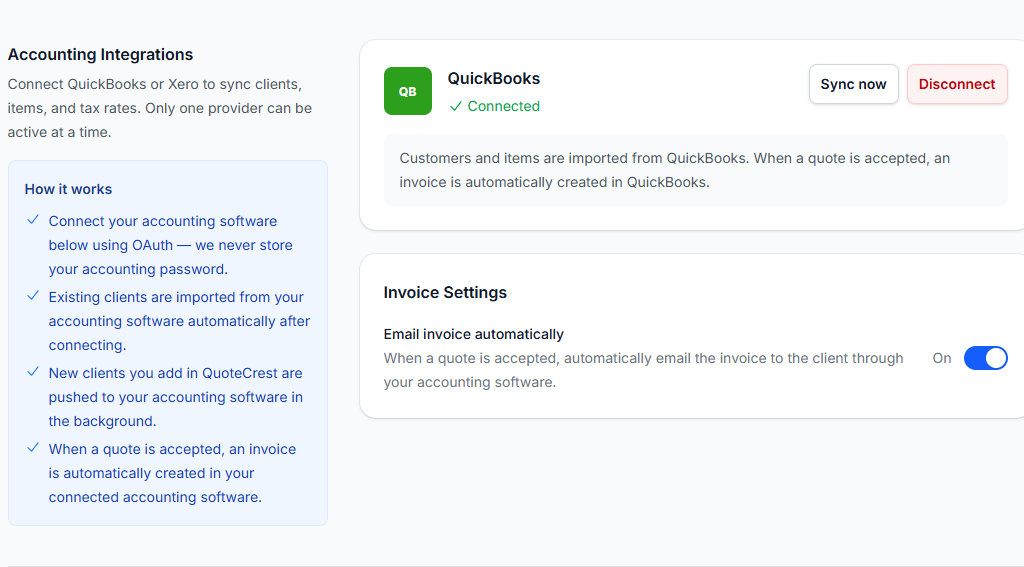
Sync accepted quotes directly to your accounting software:
See it in action.
From first draft to client acceptance — in minutes.
AI or manual — your choice
Describe the job in plain English and let AI build the quote, or add line items manually from your saved library.
Quote #Q-2026-0412
Garden Renovation
Mitchell Landscapes
- Lawn preparation & leveling
- $480.00
- Turf supply & installation
- $1,200.00
- Garden edging (40 m)
- $320.00
Secure payment powered by Stripe
What your client sees
A clean portal on any device. No login, no app. They read, accept, and pay in seconds.
Start sending better quotes today
Start free. Your first quote could go out today.
Simple pricing,
for everyone.
Start free and upgrade when your business grows into it.
Free
Try it with no commitment. Perfect for solo freelancers who want to send smarter quotes right now.
$0
$0
Get started- Unlimited quotes
- 1 user
- 20 AI credits/month
- 1% transaction fee on payments
- Online payment collection
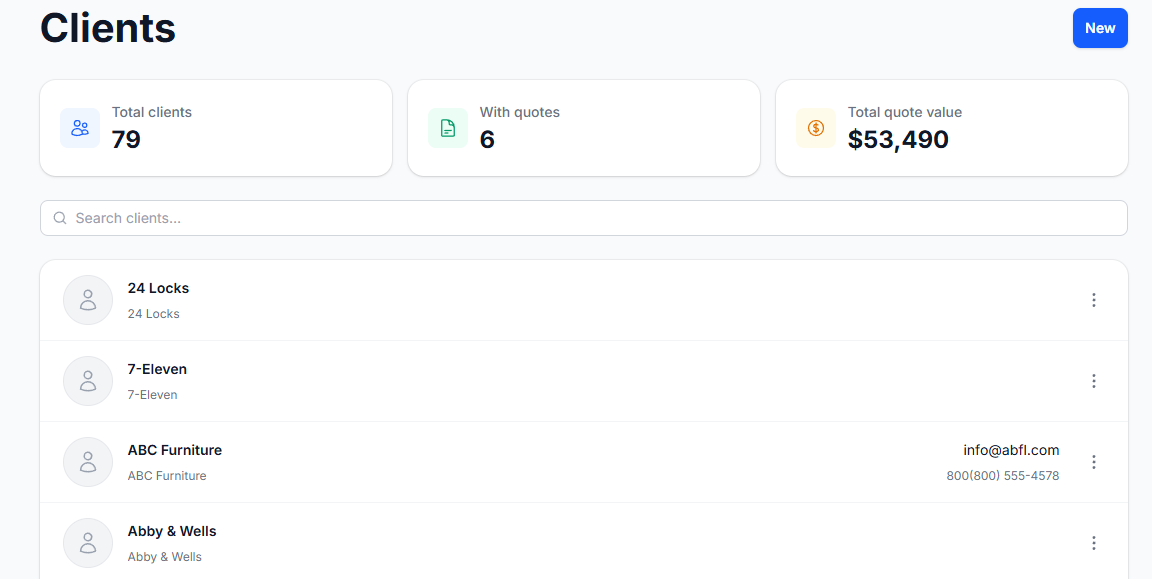
- Unlimited clients and contacts
- Line item library
- Optional items and choice groups
- Multiple tax rates
- Client portal (accept / reject / ask questions)
Pro
Most popular
For growing businesses that send a lot of quotes and want accepted jobs to flow straight into their accounts.
$19 /mo
$182 /yr
Get started- Unlimited quotes
- 200 AI credits/month
- Reduced transaction fee on payments
- Online payment collection
- Everything in Free
- QuickBooks integration (direct OAuth)
- Xero integration (direct OAuth)
- Digital signature pad
- Sync accepted quotes to accounting
- Up to 10 team members
Business
For high-volume teams who want AI to draft quotes for them and clients to pay at the point of acceptance.
$49 /mo
$470 /yr
Get started- Everything in Pro
- 1,000 AI credits/month
- No transaction fees on payments
- Online payment collection
- Clients pay at quote acceptance
- Full REST API with OAuth 2.0
- Unlimited team members
Need custom pricing or integrations? Talk to us
Frequently asked questions
Still have questions? We're happy to help.
-
All plans include unlimited quotes, including the free plan. There are no send limits.
-
Each quote gets a unique shareable URL. You send it to your client and they can view the quote, accept it, reject it, or ask questions — all without creating an account.
-
Choice groups let you offer mutually exclusive options on a quote. For example, you could present three subscription tiers and let the client pick one. Only one item in a choice group can be selected.
-
QuoteCrest integrates directly with QuickBooks and Xero via OAuth. No third-party aggregator is involved. Accounting sync is available on the Pro plan and above.
-
Yes. A digital signature pad is included on the Pro plan and above. Clients can sign directly in the browser when accepting their quote.
-
Any line item can be marked as optional. You set whether it's checked or unchecked by default when the quote is created. Clients can toggle optional items on or off before accepting.
-
Online payment collection is available on all plans. Connect your Stripe account in Settings and payments are collected directly into your account. On the Business plan, clients are prompted to pay at the exact moment they accept the quote — no separate payment step needed. On Free and Pro, a small transaction fee applies; no transaction fee on Business.
-
All plans include AI quote generation. Describe the job in plain language and QuoteCrest will generate a structured quote with line items for you to review and edit before sending. Free plans include 20 AI credits/month, Pro includes 200, and Business includes 1,000. You can purchase additional credits on any plan.
-
Yes. Each client can have multiple contacts. One contact is designated as the main contact — they always receive the quote, even when another contact from that company requests it.